

The "cat meme" is a huge hit on social media. You often see funny videos of cute cats moving comically that make you chuckle.
As a cat-loving editor, I can't overlook cat memes, so I'll introduce everything from their origins to how to create them!
What are cat memes?

The word "meme," spelled m-e-m-e, originally referred to cultural elements or customs.
In recent years, funny images, videos, and texts spread online have come to be called "Internet memes," or simply "memes."
And "cat memes" refer to videos re-edited into unique stories using images and videos of cats that have gone viral on social media, with added comments and captions.
Why cat memes are going viral on social media

Many users seem to be posting everyday occurrences and "relatable" anecdotes as cat memes.
Since cats are the characters, it's comical and adorable just to watch, and you might find yourself losing a lot of time just staring at them.
Cat memes are popular on social media platforms like TikTok, YouTube Shorts, and X (formerly Twitter) primarily because cats are cute. Cats that move like they're dancing or have human-like expressions are particularly popular.
Another reason might be the addictive music often used with cat memes, such as "Chipi Chipi Chapa Chapa♪" and "Happy Happy Happy♪".
How to make cat memes

Many people watching cat memes think, "I want to make my own cat meme!" So, how do you make cat memes? Here's how to easily make them on your smartphone.
1. Install a video editing app
First, prepare a video editing app. The recommended app is TikTok's "CapCut."
2. Prepare cat videos
Next, prepare cat videos.
If you have videos of your own cat or a friend's cat, that's great. Otherwise, find and download them from the internet.
You can download popular cat memes on social media, such as "Huh? Cat" and "Happy Happy Happy Cat," with music, but copyright and portrait rights are quite a gray area. It's best to use them only for personal enjoyment.
■ YouTube
You can download cat meme materials from the GigaFile便 URL in the comments section.
https://youtu.be/WbGfEvleZps?si=iCmE0pWRYDtLMu4V
https://youtu.be/5D-ZxepiJjA?si=r3XrKltjBgbs8VjE
■ TikTok
Search for "cat meme material" on TikTok, long-press the video, and download it.
3. Prepare a background image
Next, prepare a background image. Find and download a background image that perfectly suits the situation of the video you want to create.
It's recommended to use royalty-free background images.
■ Recommended background material sites (free, OK for commercial use)
4. Remove the background from the cat meme
If you want to remove the video background, edit it using CapCut.
Open the app, upload the cat meme material, and easily remove the background by going to [Edit → Remove Background → Auto Remove].
5. Composite the cat meme and background
On the CapCut editing screen, tap [Background Image] to composite your favorite background.
6. Add comments and sound effects
Create a story by adding comments and captions to the video. You can also add sound effects, so have fun editing!
What about cat meme copyright?

Cat memes are very popular, but the original material for these cats comes from videos posted on social media by someone. What about the copyright for cat memes?
Videos posted on social media are considered "works" protected by copyright law. In the case of cat memes, the copyright belongs to the person who filmed the original cat video.
Example: Original source of Happy Happy Happy Cat
行きつけのペットショップが今日で閉店…連れて帰りたい pic.twitter.com/NGF2U23fJM
— なか○ま (@1Nssu) November 8, 2015
Even a very short video is considered a copyright infringement if it is processed or used secondarily without the photographer's permission. Of course, music and background images cannot be used without permission either.
While this is a very gray area, no lawsuits or troubles have arisen so far. However, commercial use and monetization of cat meme videos may not be allowed.
These are definitely NOT allowed!
Cat memes are very fun to watch, but when creating them, you must respect copyrights, portrait rights, and social media rules. Be careful of the following prohibited actions:
- Screen recording and re-editing cat meme videos made by others
- Unauthorized use of artists' music
- Unauthorized use of videos/images of famous people
- Unauthorized use of background images
- Actions that violate social media posting guidelines
There is a possibility that rules will be clarified, such as using self-shot cat videos and using royalty-free music and background images after checking their terms of use.
Summary

The trending "cat meme" refers to videos of cats that have gone viral on social media, edited humorously with dialogue and captions.
They are popular on social media because cats are inherently cute and because they comically depict everyday occurrences and relatable situations. Many of them are heartwarming and make you chuckle.
Creating cat memes is very easy, but there are some gray areas regarding copyright. Let's enjoy them while following social media rules.
Author Profile


![Poponeko Selected as Furusato Nozei Gift [Toride City, Ibaraki Prefecture]](http://www.poponeko.jp/cdn/shop/articles/010f7540ce751ae3bb42785d6423e019.jpg?height=400&v=1765802143)

![[Written by a Veterinarian] How to Work in an Animal Hospital: Essential Qualifications, Job Responsibilities, and Traits of Suitable Candidates](http://www.poponeko.jp/cdn/shop/articles/shutterstock_2399480085.jpg?height=400&v=1755261095)
![[Set] Leaf Ribbon & Cat Collar - Gingham Check Pink](http://www.poponeko.jp/cdn/shop/files/DSC00107_be0c6dc2-1e03-4ba3-9fbe-dcb40be6c72c.jpg?v=1780663891&width=600 "[Set] Leaf Ribbon & Cat Collar - Gingham Check Pink")
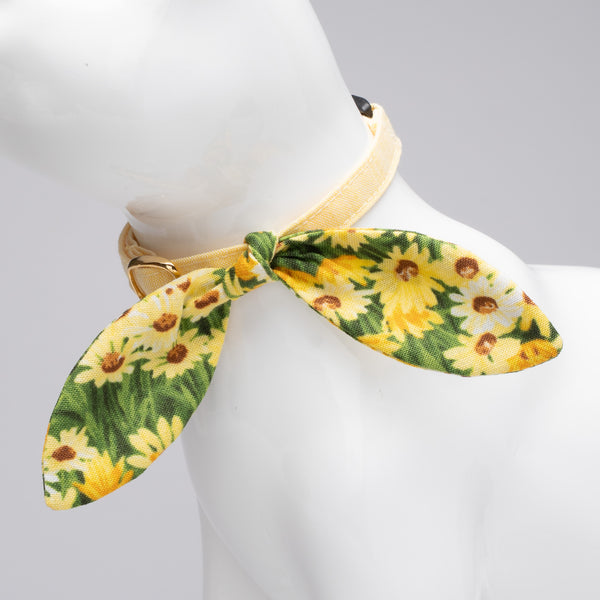
![[Set] Leaf Ribbon & Cat Collar TARTAN CHECK DRESS RED](http://www.poponeko.jp/cdn/shop/files/2606_00016.jpg?v=1785759845&width=600 "[Set] Leaf Ribbon & Cat Collar TARTAN CHECK DRESS RED")
![[Set] Leaf Ribbon & Scrunchie Cat Collar, Gingham Check, Blue](http://www.poponeko.jp/cdn/shop/files/DSC00092_346b4b0c-da46-4b7b-b5e9-8ab3dafb6534.jpg?v=1780663891&width=600 "[Set] Leaf Ribbon & Scrunchie Cat Collar, Gingham Check, Blue")
![[Set Product] Leaf Ribbon & Cat Collar - Tartan Check Classic Red](http://www.poponeko.jp/cdn/shop/files/2606_00018.jpg?v=1785759845&width=600 "[Set Product] Leaf Ribbon & Cat Collar - Tartan Check Classic Red")
![[Set Item] Leaf Ribbon & Cat Collar - Petit Fleur - Pastel Pink [Limited Color]](http://www.poponeko.jp/cdn/shop/files/2608_00409.jpg?v=1789946167&width=600 "[Set Item] Leaf Ribbon & Cat Collar - Petit Fleur - Pastel Pink [Limited Color]")
Leave a comment